Napari Simple Tracker


napari plugin for ROI tracking and FRAP analysis in time-lapse images



Napari_Simple_Tracker is a lightweight, easy-to-use napari plugin for ROI tracking and FRAP analysis in time-lapse imaging data.
It is intentionally simple while still providing the core tools needed for routine quantitative analysis.
- Simple: point-based interaction with minimal configuration
- Practical: tracking, intensity plotting, CSV export, and session save/load are included
- Readable: ROI masks and track IDs are displayed directly in the napari viewer
Capabilities
Simple_Tracker
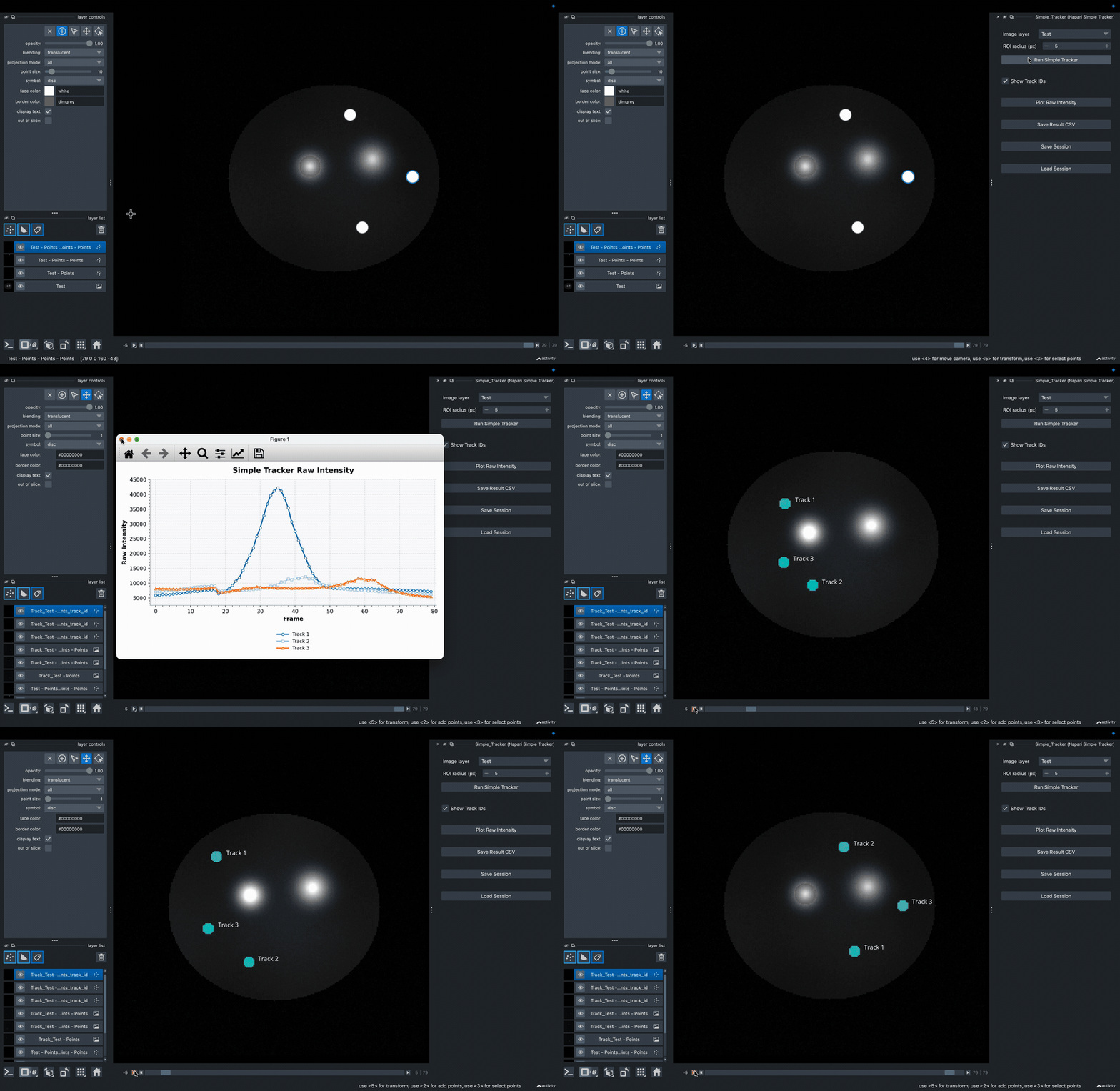
- Multi ROI tracking
- Linear interpolation across frames
- Mean intensity measurement within circular ROIs
- Plot generation
- CSV export
- Session save/load
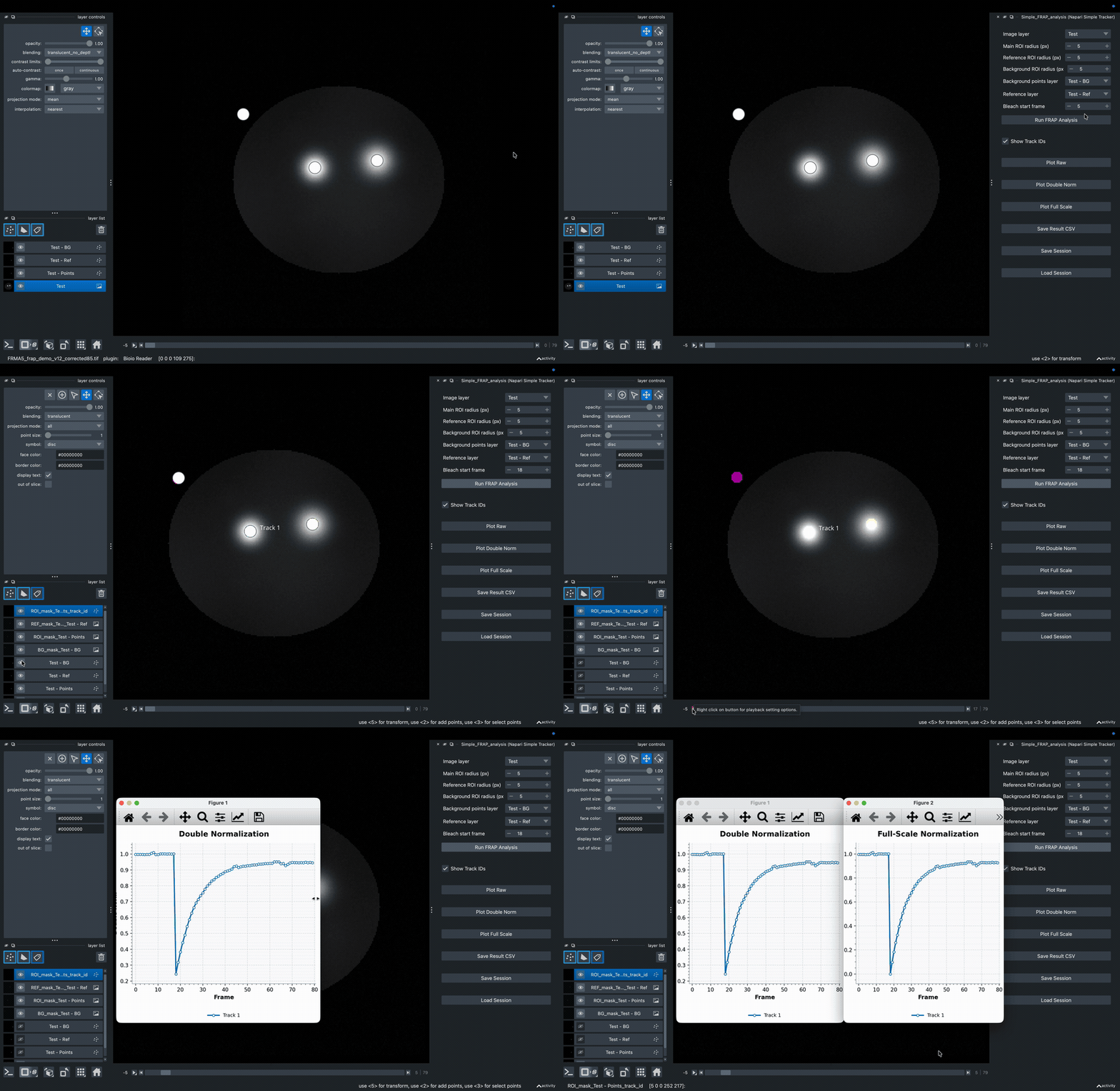
Simple_FRAP_analysis
- FRAP analysis using a main ROI, with optional reference and background ROIs
- Background correction
- Double normalization
- Full-scale normalization
- Plot generation
- CSV export
- Session save/load
Examples
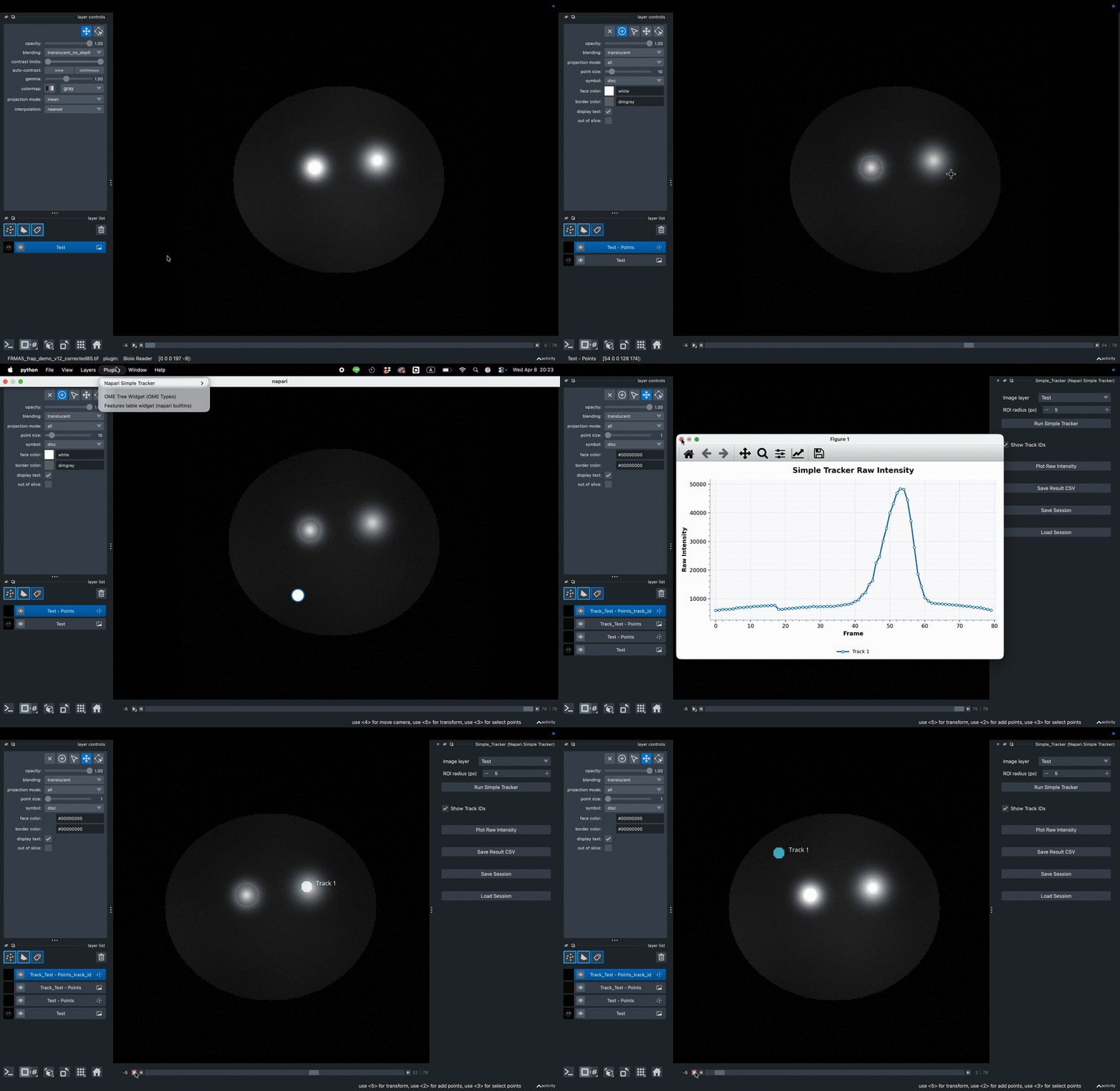
Simple_Tracker
Multiple_track
Simple_FRAP_analysis
Installation
This package is published on PyPI as napari-simple-tracker.
Install with pip
Install the plugin in an environment where napari is already installed:
python -m pip install napari-simple-tracker
Install from napari
- Launch napari.
- Open
Plugins -> Install/Uninstall Plugins.... - Use
Install by name/URL. - Enter the package name
napari-simple-trackerand install it.
Install from source
To install the latest local version from this repository:
git clone https://github.com/Aohirovet/Napari_Simple_Tracker.git
cd Napari_Simple_Tracker
python -m pip install .
If you use a dedicated environment for napari, activate it before running the install command.
Usage
After installation, open napari and launch either widget from:
Plugins -> Napari Simple Tracker -> Simple_Tracker
or
Plugins -> Napari Simple Tracker -> Simple_FRAP_analysis
Quick Start
Open image
  -> place Points
  -> open plugin
  -> run analysis
  -> inspect masks, plots, and CSV output
Simple_Tracker
- Load a time-series image in napari.
- Create one
Pointslayer for each object to be tracked. - Mark the object center across multiple frames.
- Open
Plugins -> Napari Simple Tracker -> Simple_Tracker. - Press
Run Simple Tracker.
Simple_FRAP_analysis
- Load a time-series image in napari.
- Create
Pointslayers for the main ROI. - Create one
Pointslayer for the reference ROI. - Optionally create one
Pointslayer for the background ROI. - Open
Plugins -> Napari Simple Tracker -> Simple_FRAP_analysis. - Select the relevant layers and ROI radii, then press
Run FRAP Analysis.
Documentation
Detailed usage notes, supported image dimensions, output columns, session behavior, and common errors are documented here:
Release Note
For every new public release, increment the version in pyproject.toml before publishing to PyPI or expecting changes to appear on napari-hub.
License
MIT License
Version:
- 1.1.8
Last updated:
- 2026-04-08
First released:
- 2026-04-08
License:
- MIT